
Following several previous installments introducing Power BI Desktop, we've received many inquiries about the different Power BI license types and their differences. Beyond Power BI Desktop, Microsoft offers various other Power BI services tailored to different organizational needs. Today, let's explore the different Power BI products and their applications. Let's get started!
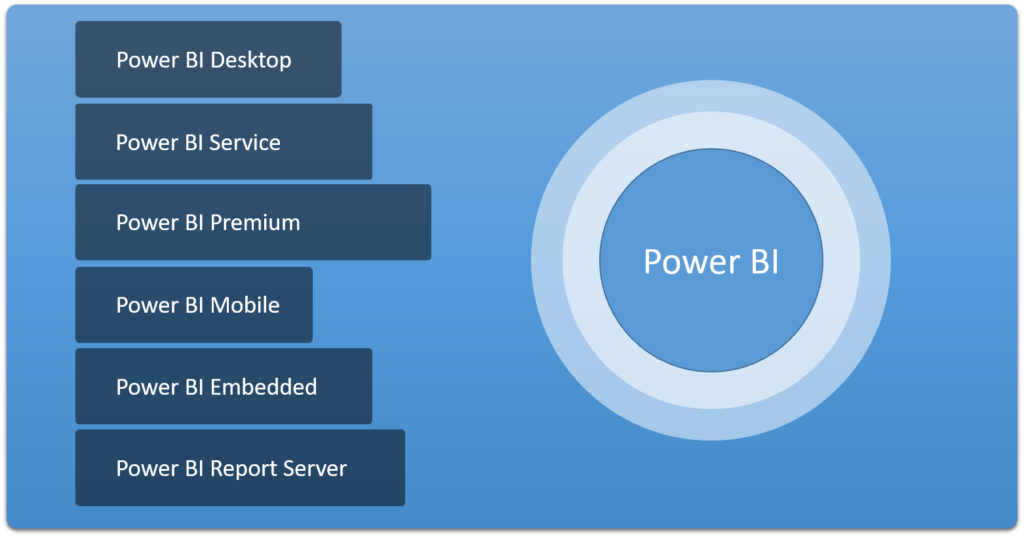
There are six products in the Power BI suite, as follows:
Power BI Desktop
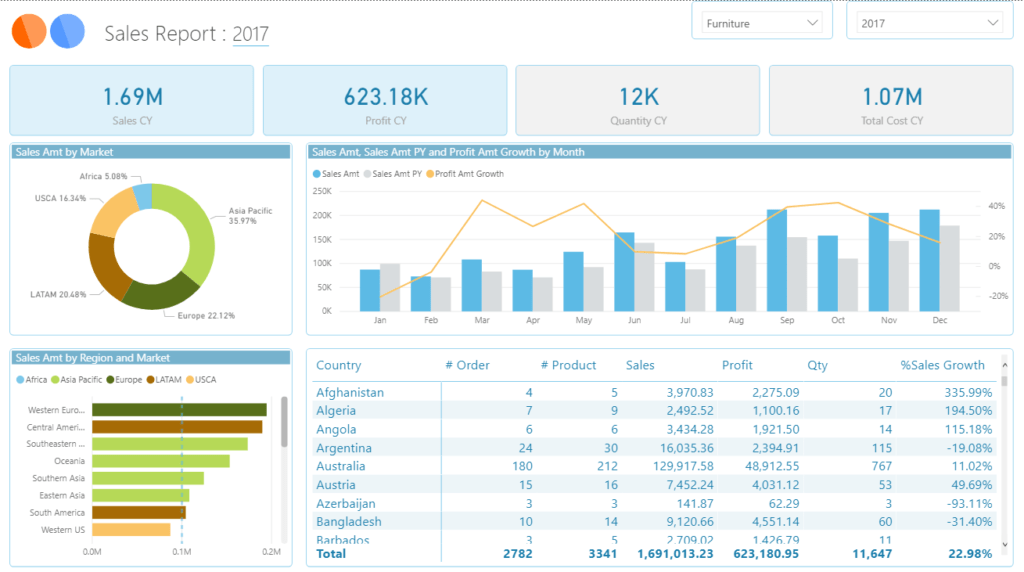
Power BI Desktop is a program that can be installed on a user's computer. Its primary use is developing or creating reports from the user's data. It can be downloaded for free. On the download page, you'll see that Microsoft offers two versions of Power BI Desktop: Power BI Desktop and Power BI Desktop RS. The first is the one we use regularly, while the RS version is designed to work with Power BI Report Server. Both are also available for free download
The program can be downloaded at https://powerbi.microsoft.com/en-us/desktop/
Power BI Service
Power BI Service is a Microsoft cloud service used for sharing reports created with Power BI Desktop, and also allows for editing reports on a web interface. This service is sometimes called Power BI Pro and comes with two license options: a free version and a paid monthly subscription. The differences between the free and paid Power BI Service versions are shown in the image below
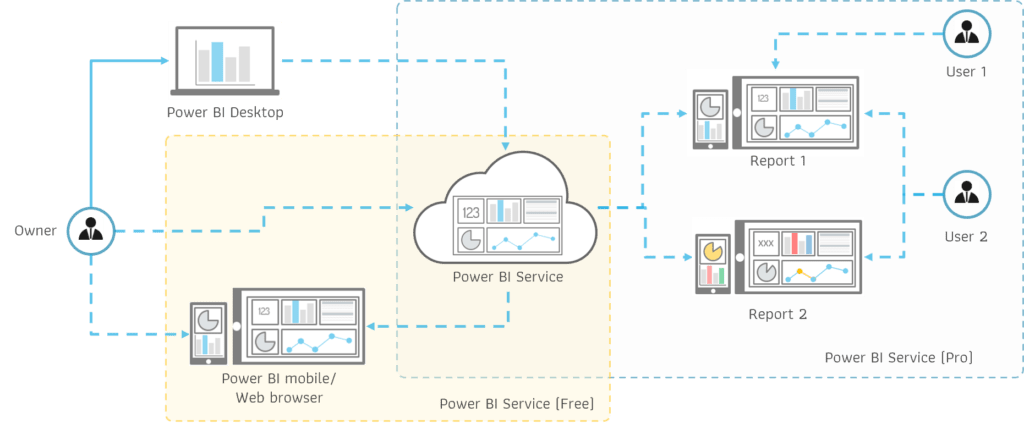
Power BI Service (Free) The license, highlighted in yellow, is for individual use only. The report creator (owner) creates the report in Power BI Desktop and then publishes it to Power BI Service. The owner can access the report stored on Power BI Service via a web browser or Power BI Mobile. In this case, other users cannot view the owner's report (unless it's shared as a public link)
Power BI Service (Pro) The report will be highlighted in blue. When the Owner has a Power BI Service (Pro) license, they can share the report with colleagues within the organization (all end users must have a Power BI (Pro) license). The Owner can define access rights to the report for users, and can also specify the data that users can access, separated by user groups as needed. As shown in the image, there are two reports with different data sets. User 1 can only view Report 1, while User 2 can view both reports
A limitation of Power BI Service is that users must use an organizational email address (or an email address that is not from a free email service) to register, regardless of whether you use the free or Pro version. This may not be convenient for most people
In addition, users or organizations already using Office 365 E5 will also receive access to Power BI Service (Pro). You can log in to Power BI Service directly through powerbi.com
Power BI Premium
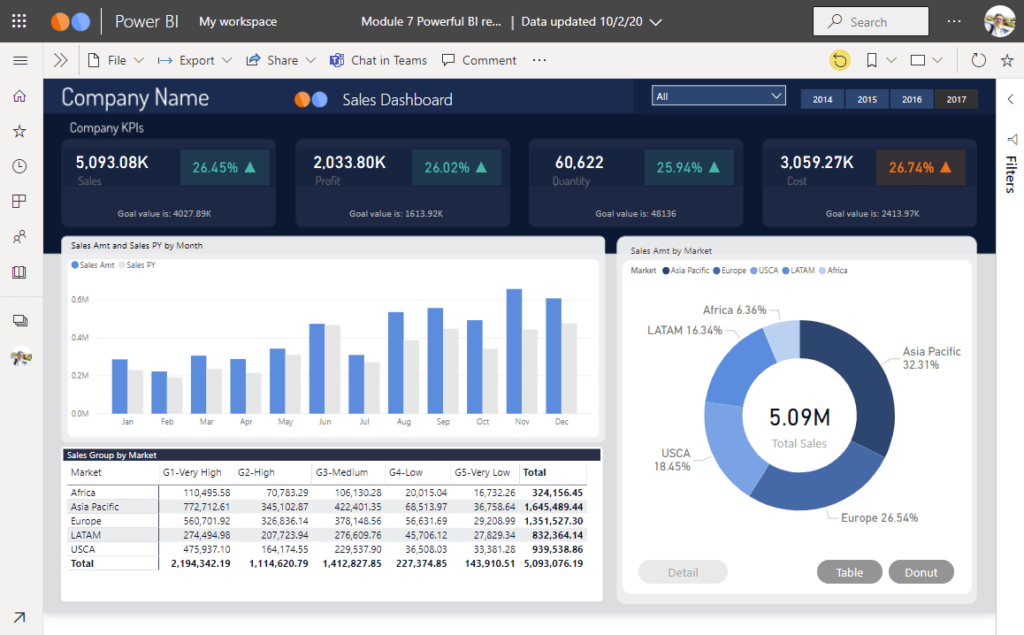
Power BI Premium is a service that enhances the functionality of Power BI Service (Pro). It's ideal for organizations that need storage for large reports or have a larger than usual number of Power BI Service users. Switching to Power BI Premium eliminates user count limitations; instead, costs are based on storage space and server performance. Power BI Premium supports both existing Power BI Service (Pro) licensed users and those without a license. However, organizations must still have at least one Power BI Service (Pro) license to connect to Power BI Desktop (to store reports created on Power BI Premium)
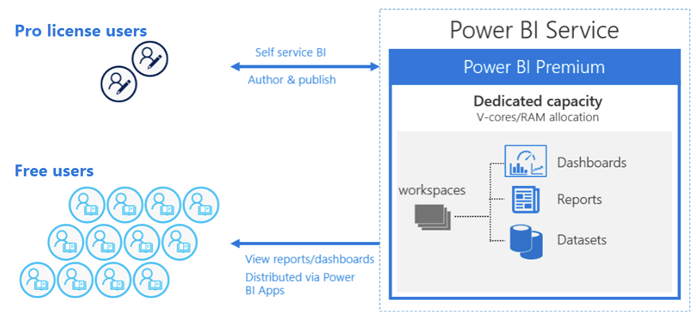
As shown in the image above, storing reports on Power BI Premium requires Power BI Service (Pro) to connect to Power BI Premium. However, sharing reports from Power BI Premium offers significant flexibility. Server performance can be adjusted according to usage, and reports can be shared with users who have Power BI Service, both Free and Pro users, as well as with internal and external users (provided they have access to the organization's Power BI Premium)
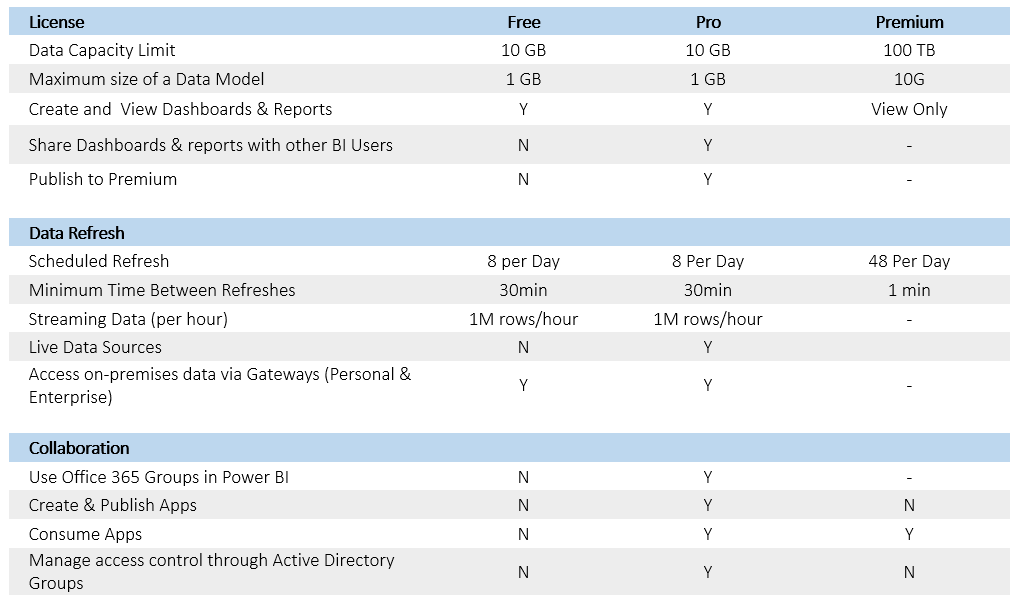
The main differences between Power BI Service (Free), Power BI Service (Pro), and Power BI Premium can be summarized in the table below
For more details, please visit https://docs.microsoft.com/th-th/power-bi/admin/service-premium-faq
Power BI Mobile
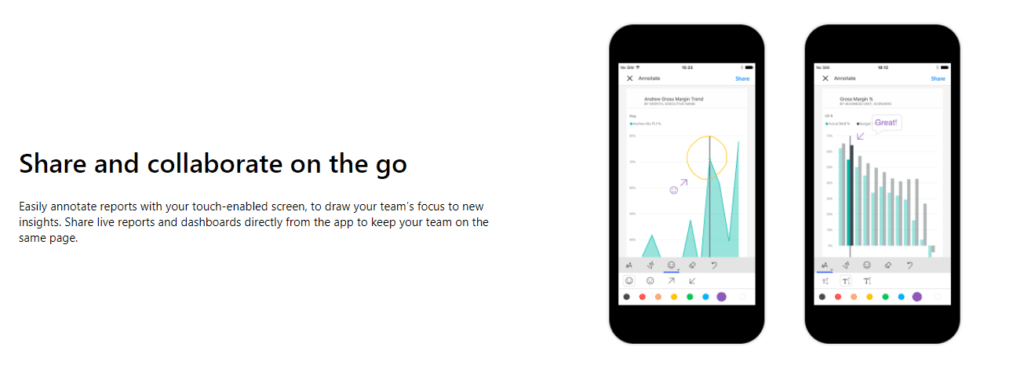
Power BI Mobile is a mobile application used to access the Power BI Service (available in both Free and Pro versions). It can also access the Power BI Report Server. However, Power BI Mobile only allows viewing reports; it does not allow editing. Power BI Mobile is compatible with both Android and iOS and can be downloaded for free
For more information or to download the app, visit https://powerbi.microsoft.com/en-us/mobile/
Power BI Embedded
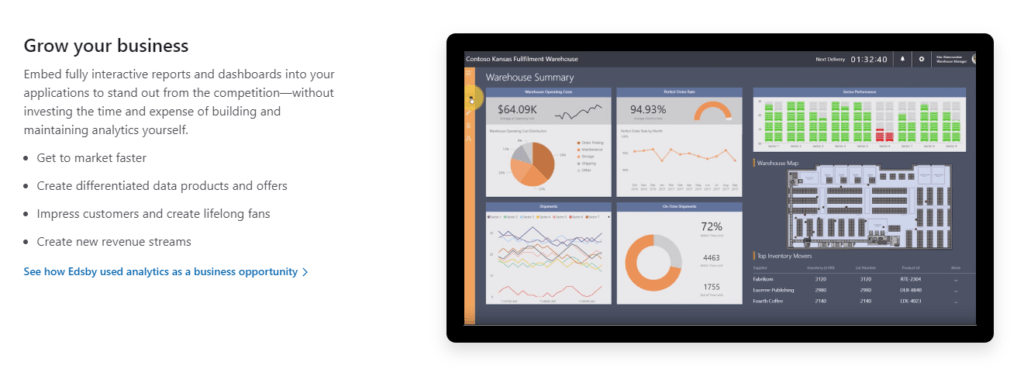
Power BI Embedded is a Platform-as-a-Service (PaaS) on the Azure Cloud for independent software and application developers. It allows developers to integrate the beautiful visualization capabilities of Power BI into their applications, enabling them to display reports as if the Power BI reports were an integral part of their development. Users of the application do not need to be familiar with or have a Power BI license, as all access is handled through Power BI Embedded and its associated APIs.
For more information, please visit https://powerbi.microsoft.com/en-us/power-bi-embedded/
Power BI Report Server
Power BI Report Server is a report service installed on an organization's server. Similar to Power BI Service, it allows users to view reports via a web browser or Power BI Mobile without needing to upload data outside the organization. Furthermore, users do not need a Power BI Service license to access Power BI Report Server (authorization from the system administrator is required)
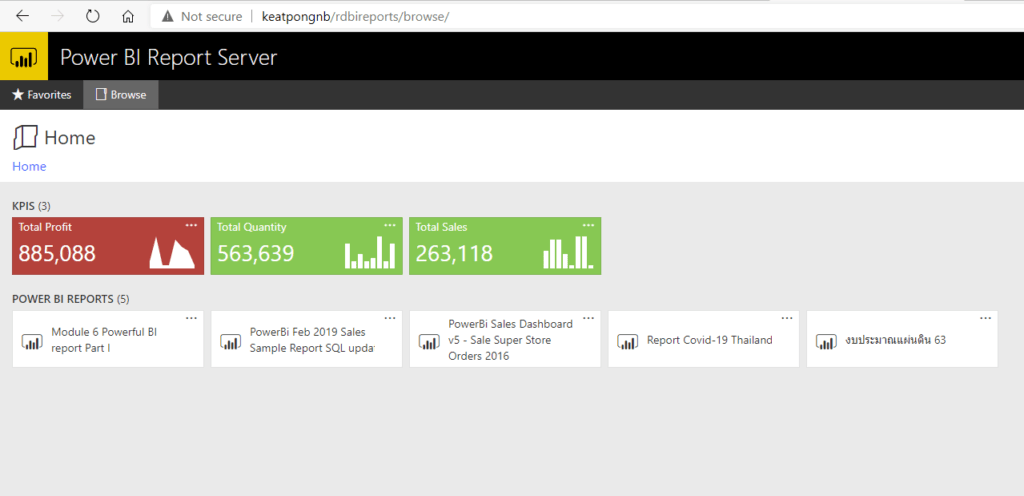
Power BI Report Server includes SQL Server Reporting Service, but with the added capability of viewing Power BI reports. This means that if your organization already uses SQL Report Service and has a Power BI Report Server license, you can simply switch to Power BI Report Server instead
Uploading reports to Power BI Report Server will use the Power BI Desktop RS edition instead of the regular Power BI Desktop. Some features of Power BI Desktop, such as the AI Visuals, are not available in Power BI Desktop RS, but the core functionalities are similar and compatible (provided the software versions are the same)
A Power BI Report Server license is included with the SQL Server Enterprise Edition purchased with a software guarantee, or with Power BI Premium. This means that if an organization chooses Power BI Premium, it can integrate Power BI Premium with Power BI Report Server
That concludes another article. Thank you for reading, and we'll be back soon with more articles introducing BI tools
Interested in Power BI Desktop training courses? You can find details at https://demo.rdbi.co.th/power-bi-desktop/
Read other articles related to Power BI.
For more information, please contact us at https://demo.rdbi.co.th/contact/,
via our
Line official account: @rdbi,
or email sales@rdbi.co.th.