Sales Report Sample

This is an example of a Sales Report from Tableau Desktop. The data used is the same as that used in the Power BI example report, demonstrating that similar reports can be created regardless of the tool used (though there may be slight differences)

Example report page
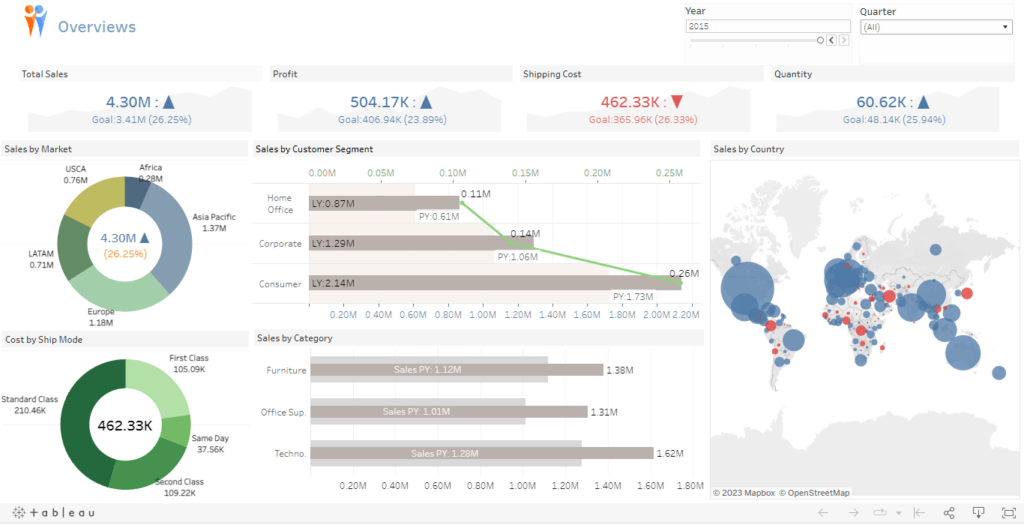
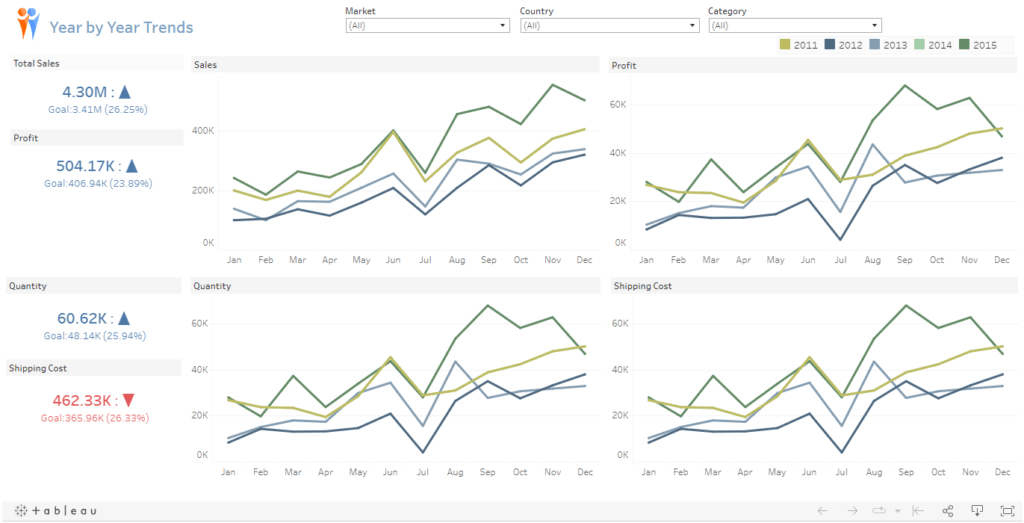
The overview of the data, broken down by year, can be displayed in both general charts and map format
Display the trend of the desired data
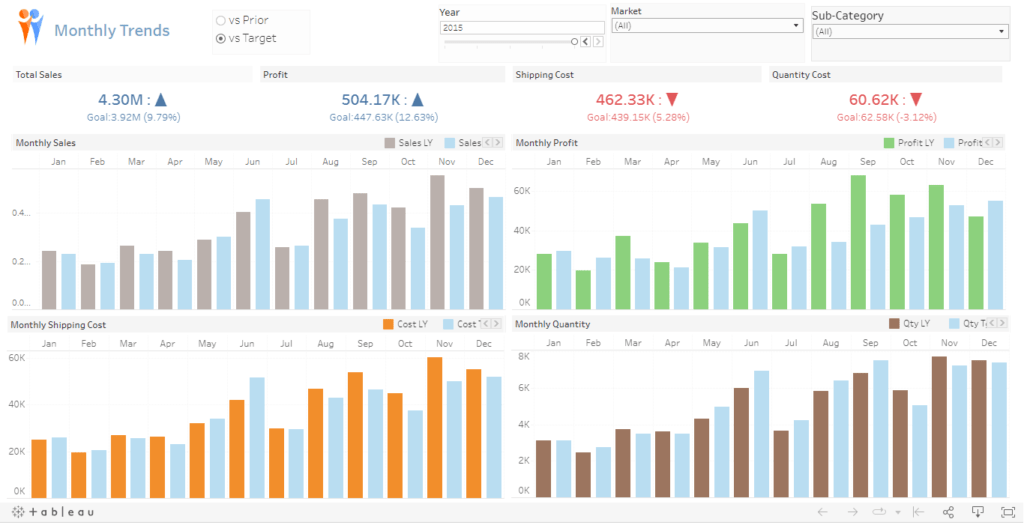
Displays comparative data for the desired Target (in the example, you can change the Target to two values: comparing to last year's target and comparing to this year's target)
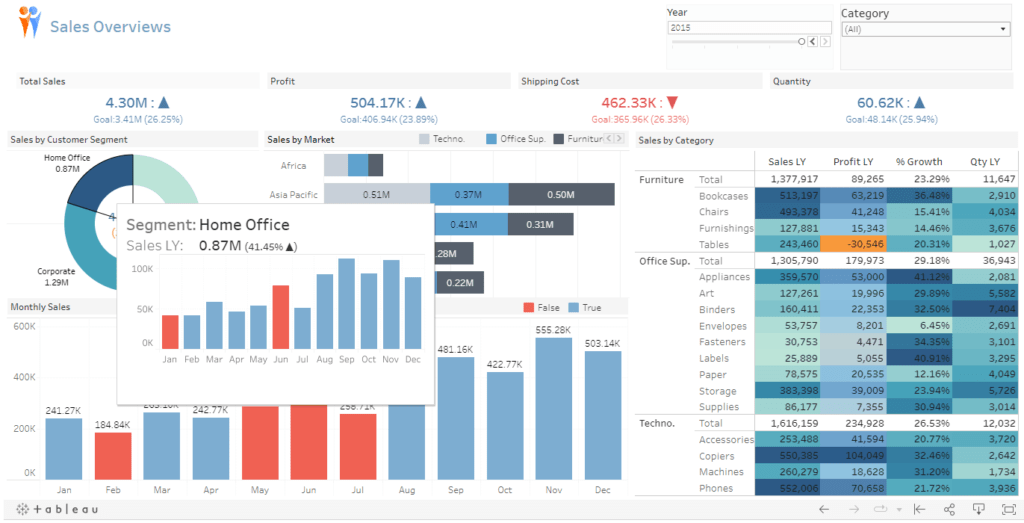
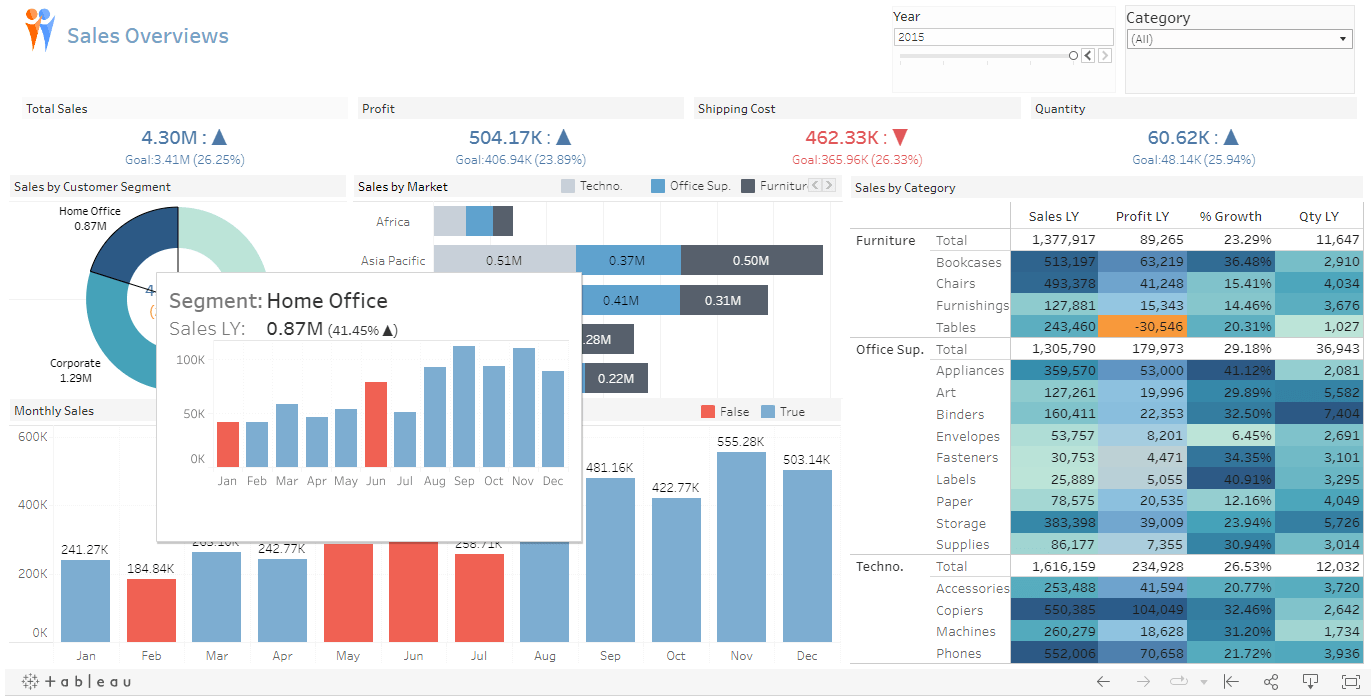
Adjust the graph to display colors based on specified conditions, and add a Custom Tooltip to show more details
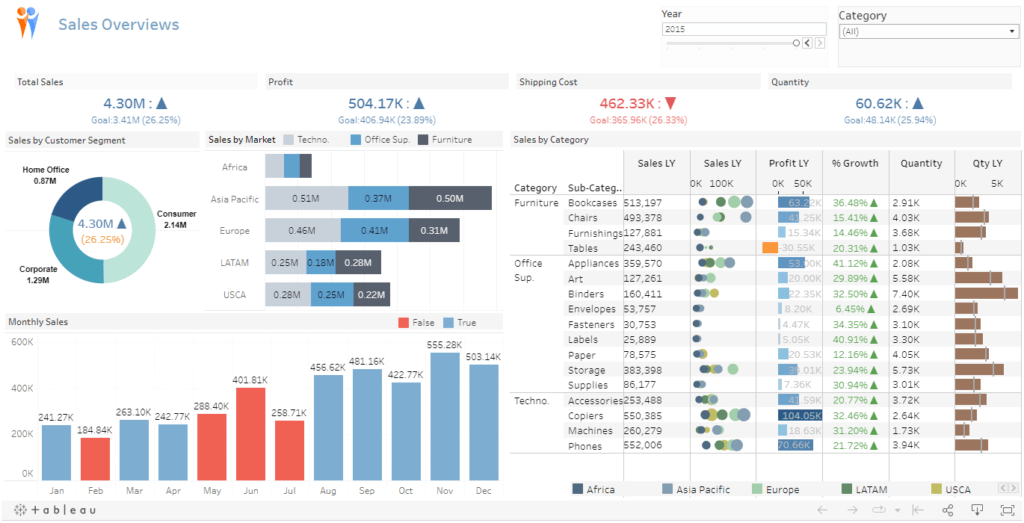
The original report, but with modifications to display the table in a Custom Table format, allowing for more detailed information
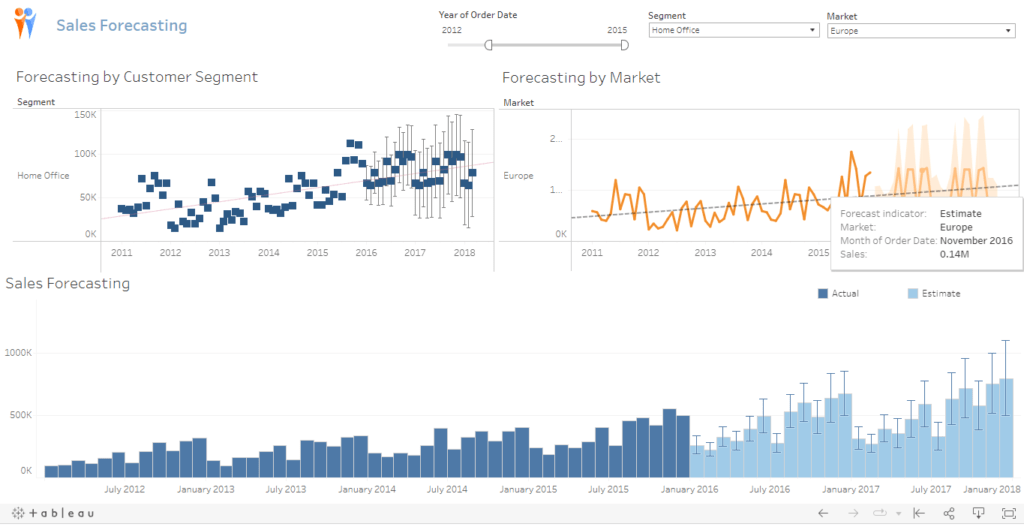
Analyze data using Tableau's Forecast function
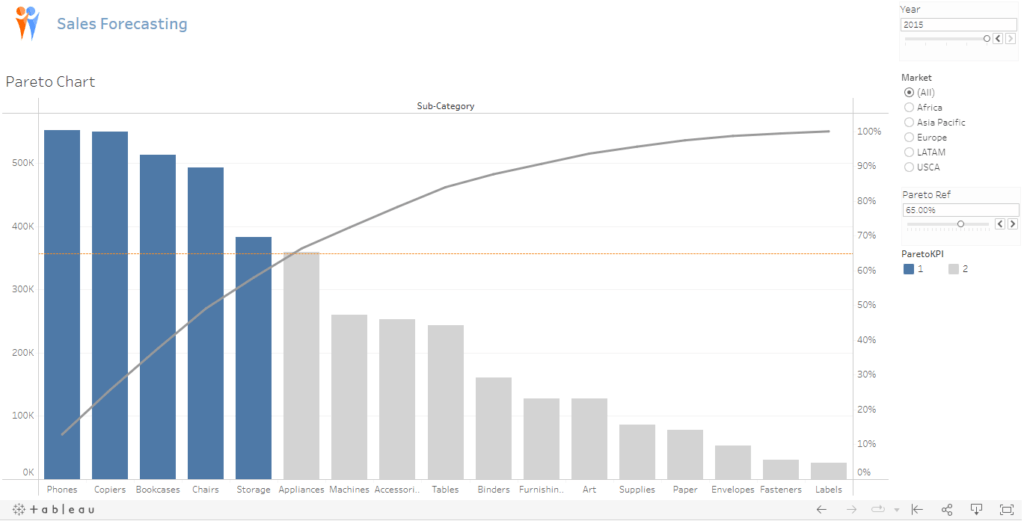
Analyze the data using a Pareto Chart

Report file

You can test the report using the Share Report link below
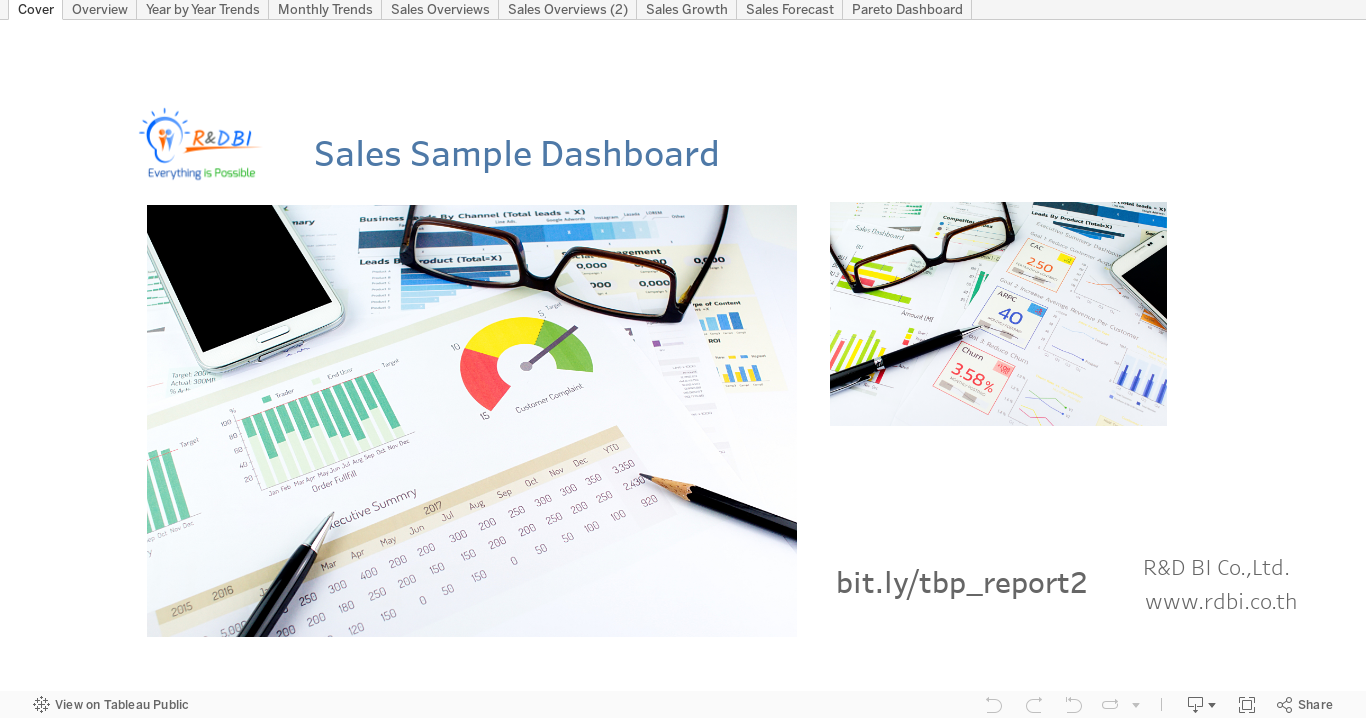
This clip introduces the features of Tableau Dashboard

We use cookies to improve the performance and user experience of our website. You can find more details in our Privacy Policy and manage your privacy settings by clicking on Settings.

Set privacy settings

You can choose your cookie settings by enabling or disabling each type of cookie as needed, except for essential cookies

Accept all
Manage privacy
  • Essential cookies
    Always on

    These types of cookies are essential for the website to function properly, allowing you to use and visit the site normally. You cannot disable these cookies on our website

  • Analytics cookies

    These types of cookies collect information about your website usage to help us measure, improve, and enhance your user experience. If you do not consent to the use of these cookies, we will not be able to measure, improve, and develop the website

Save settings