
Sales Report by R&D BI
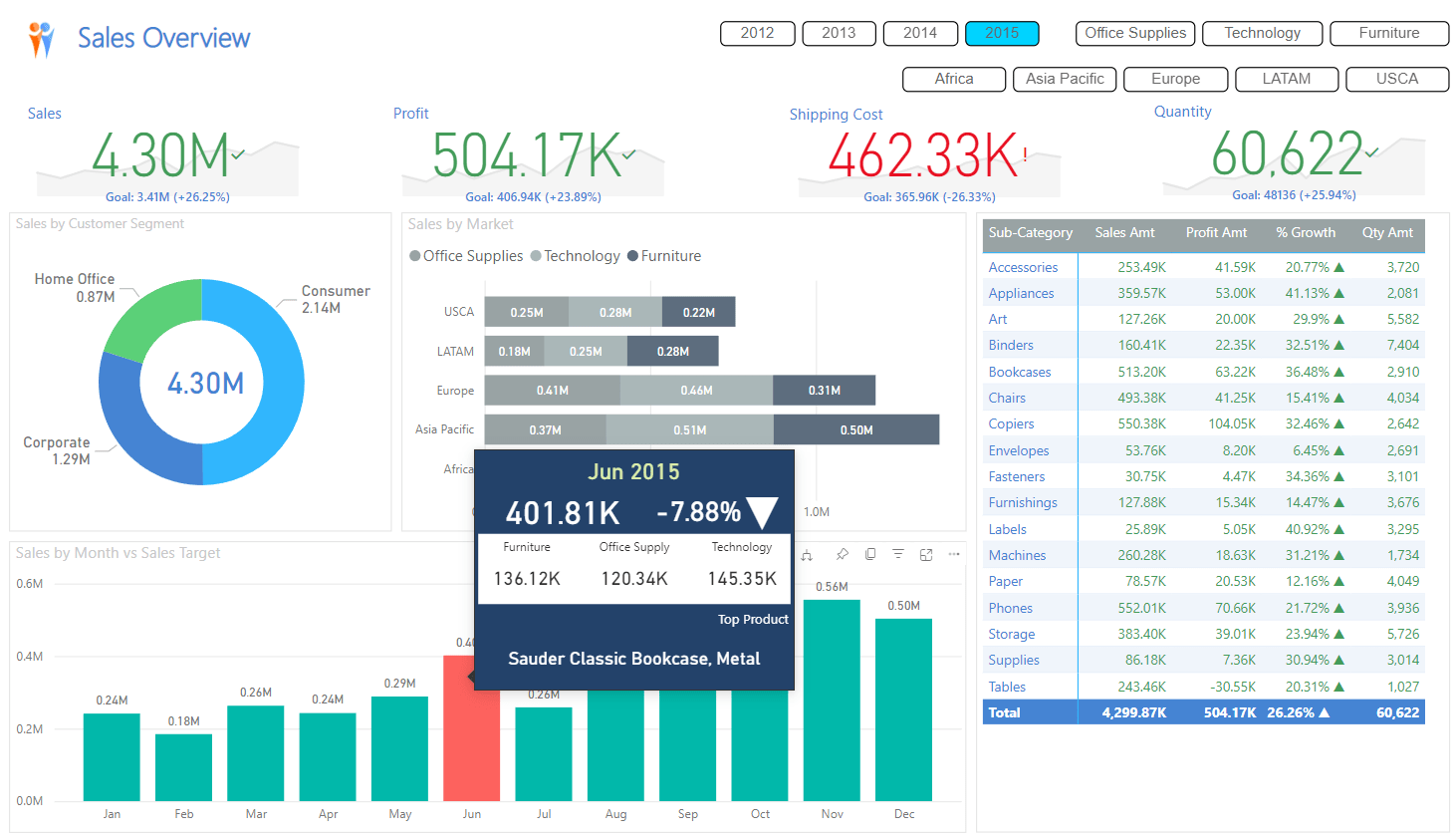
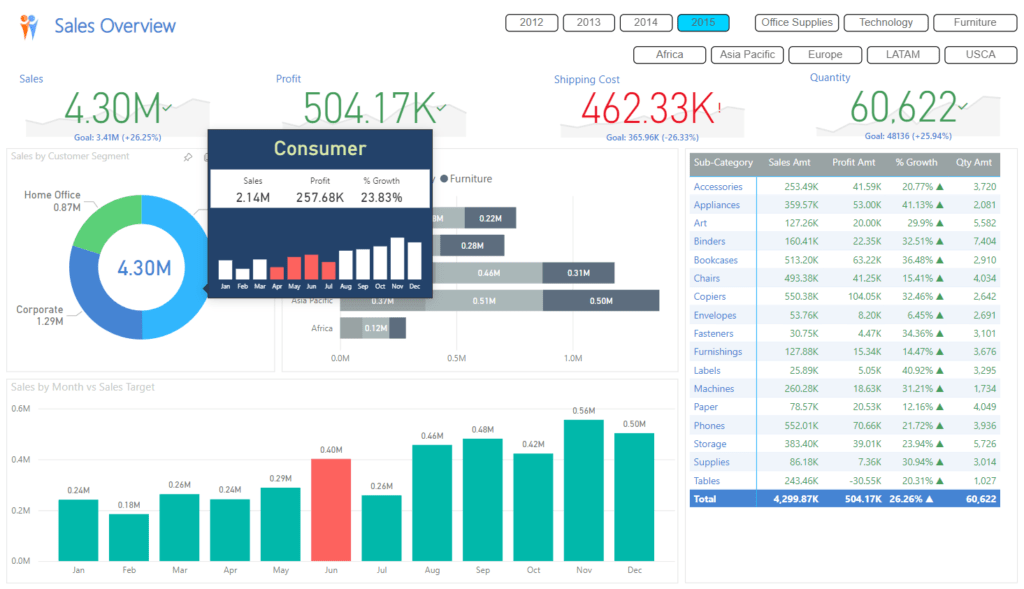
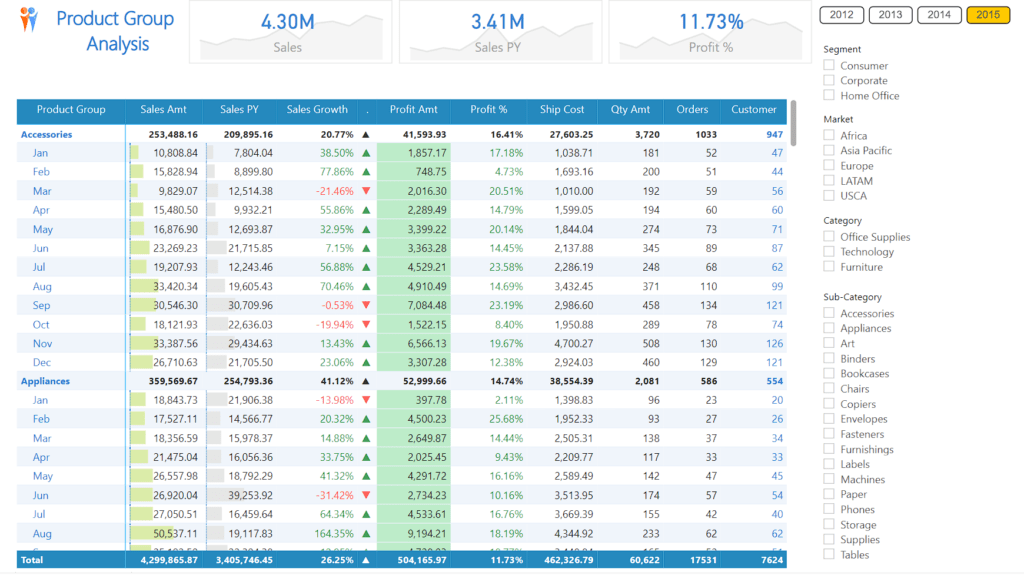
This example Sales Report Dashboard, created using Power BI Desktop, displays sales, profit, cost, and quantity sold, providing an overall picture of the business. The report can also be publicly uploaded to Power BI Service.
Executives can quickly view sales reports showing annual, quarterly, monthly, and cumulative sales figures up to the present date. Reports can be viewed by sales area, customer group, product group, and country
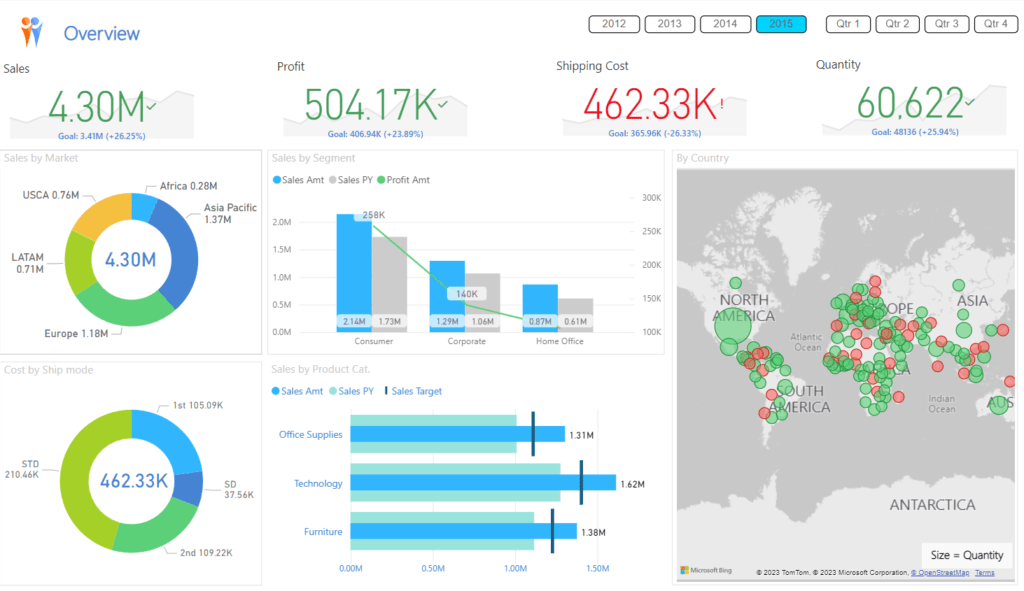
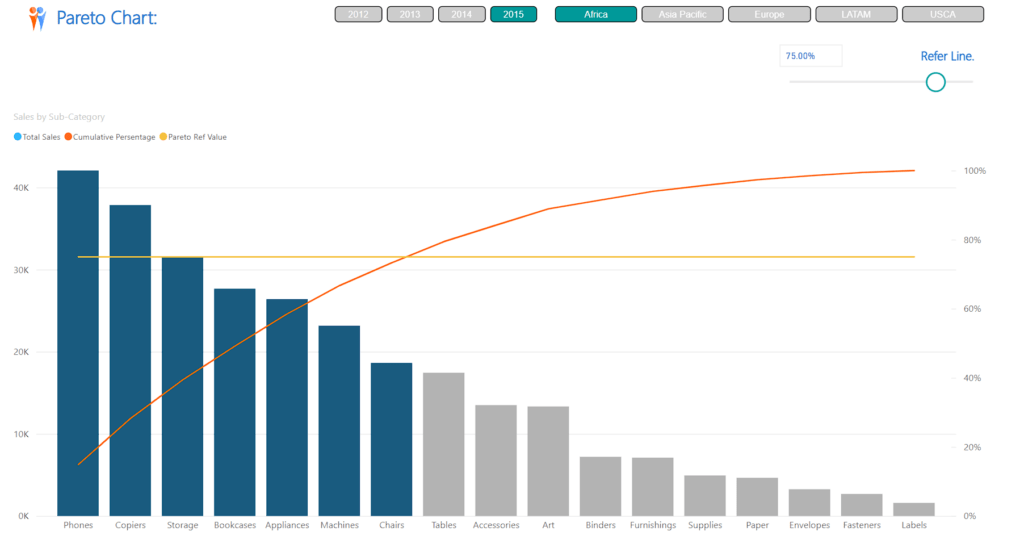
You can view data by sales area, customer group, and product group.
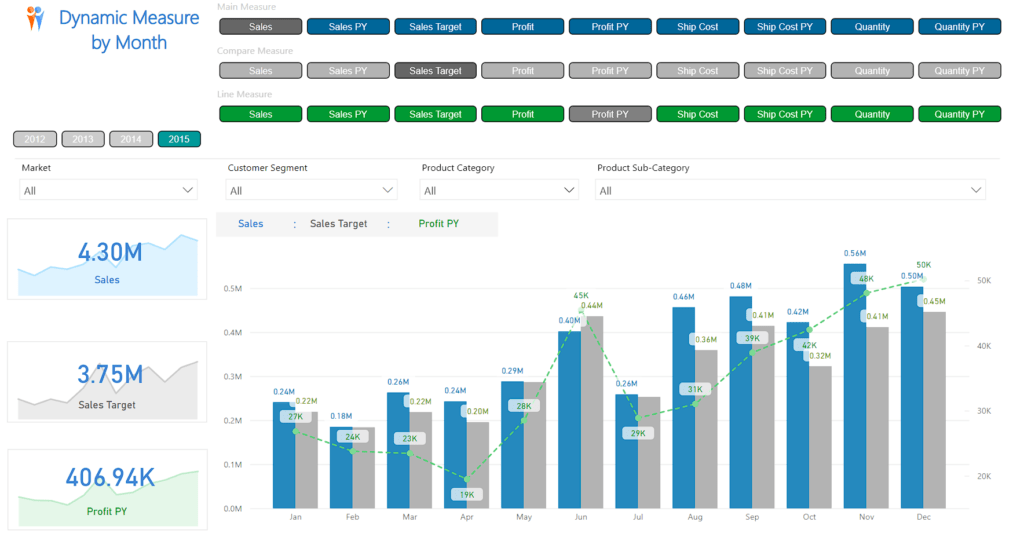
Each graph compares data to the previous year or target,
highlighting anomalies or problems in specific areas using different colors.
Hovering over data allows you to view more detailed information.
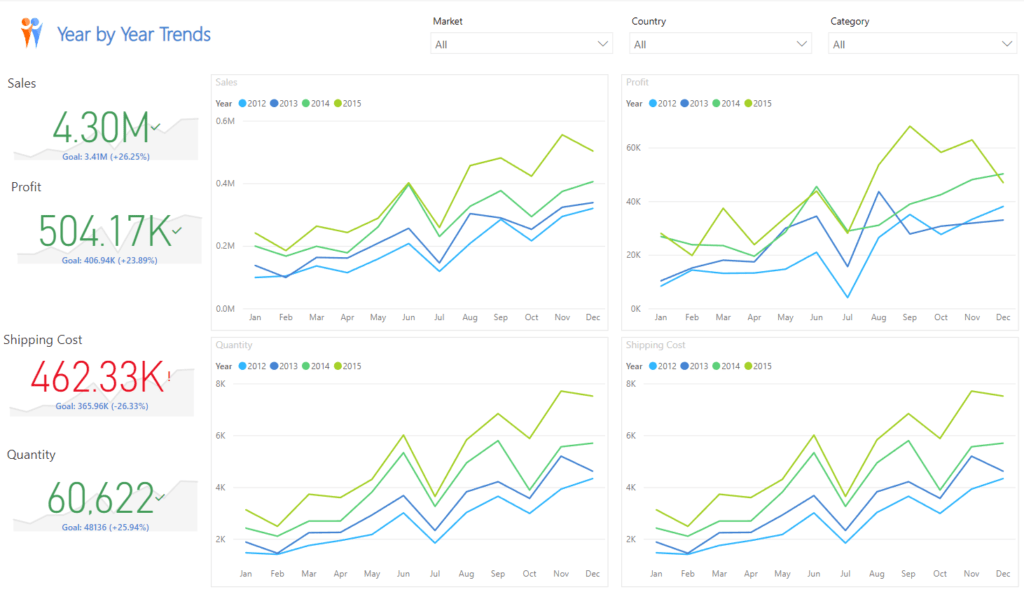
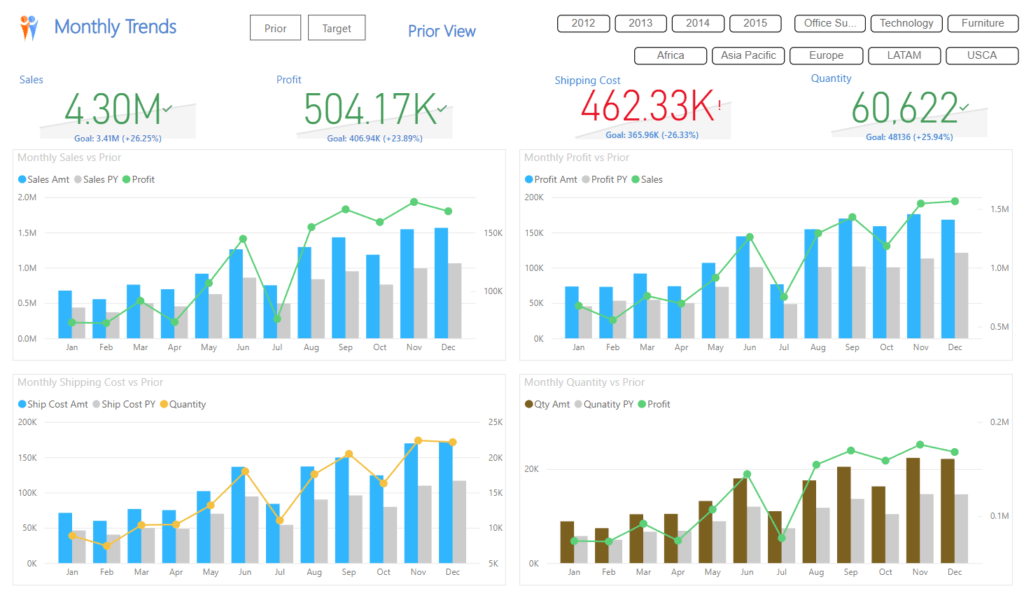
It shows trends and offers various comparison options, and is easy to use for data analysis.
Sample report file
You can test the various report pages using the Report section below
This clip introduces the features of Power BI Dashboard
Interested in our services? Contact our sales team at https://demo.rdbi.co.th/contact/
For more information, visit our Facebook page at http://bit/ly/rdbipage
Line Official Account: @rdbi
Email: sales@rdbi.co.th