
Tableau Desktop is a popular visual analytics tool that has been around for a long time. Its user-friendly interface and attractive visualizations are appealing to users. However, many newcomers may wonder about Tableau's various table merging/data source combining modes, such as Join & Union, Data Blending, and Relationship. They might wonder what the differences are and how to choose the right one. This article provides some guidance
Typically, if we import data for analysis or visualization from just a single table, we don't need to consider joins, relationships, or data blending because we can create graphs or analyze the data directly from the imported table
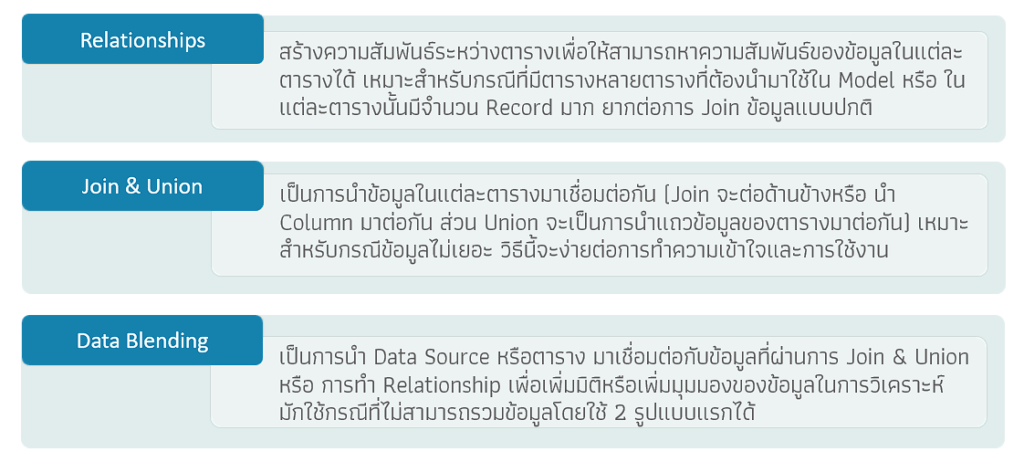
However, if we have more than one data source (or even just one table) and need to analyze data from all tables together, we need to first combine the data from those multiple tables so that we can perform the combined analysis. Tableau Desktop can do this in three ways: Relationships, Join & Union, and Data Blending
Join & Union
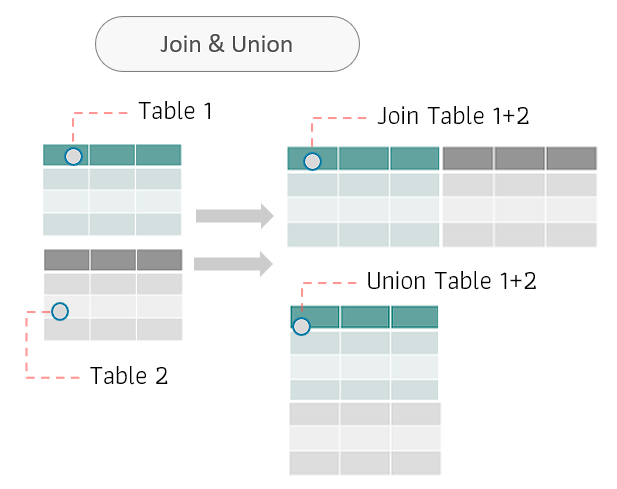
From the image, we want to analyze Table 1 and Table 2 in Tableau Desktop. We need to merge Table 1 and Table 2 first before we can analyze the data together. There are two ways to merge data: by joining (adding columns from Table 2 to Table 1) or by using Union (using Union to combine the data from both tables). Union is only used if Tables 1 and 2 have similar data and structures
For a data join, Table 1 and Table 2 must have columns that can be linked together (i.e., columns with referenced data) in order for the join to be possible. If such columns are not created, the join cannot be performed
In the case of a Union operation, both tables must have the same data structure. For example, a sales table for January and a sales table for February. A Union operation combines the data rows of both tables
The result of a Join or Union is that data from two tables are combined into one table. When used, it can be used as if the data were imported into a single table
Relationships
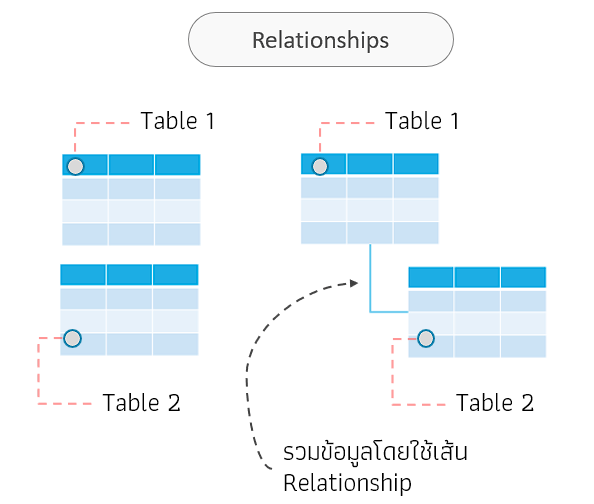
From the image, we want to analyze Table 1 and Table 2 together in Tableau Desktop, similar to the first case (like a Join or merging columns of Table 1 and 2). When using a Relationship join, the data in the tables isn't actually merged; instead, a relationship is created to connect the data of the two tables. The result is that we can analyze the data from both tables together, just like a regular Join
The advantage of relationships is that they are suitable for cases where the data table to be analyzed is large (with a large number of records and columns), where using table joins might reduce the model's performance
Both Join and Relationship methods will yield similar results (although the resulting tables may differ slightly). Users can choose whichever method suits their needs and preferences
Data Blending
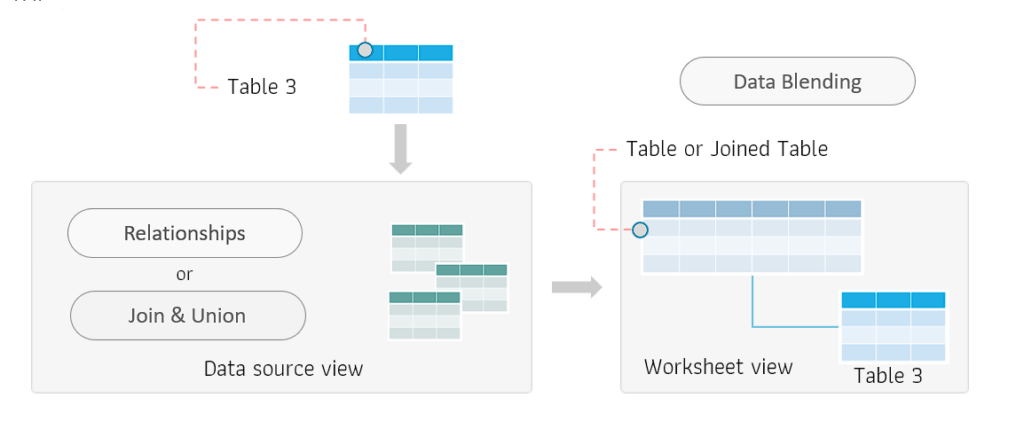
As shown in the image, we want to analyze Table 3 together with the data in the data source, but we encounter a problem because we cannot directly join or create relationships with existing tables. For example, the columns needed to create relationships in Table 3 may not be complete, preventing the join or relationship from working
If we want to analyze the data, we can first use Data Blending to combine the first datasets (by joining or establishing a relationship). Then, we connect Table 3 to the combined data source by creating or defining a new relationship between the data source and Table 3. This allows us to use the data in Table 3 for analysis in conjunction with the main data as needed
Table 3 must have columns that can link to the primary data source; otherwise, it cannot be used
The difference between Data Blending and other data blending methods
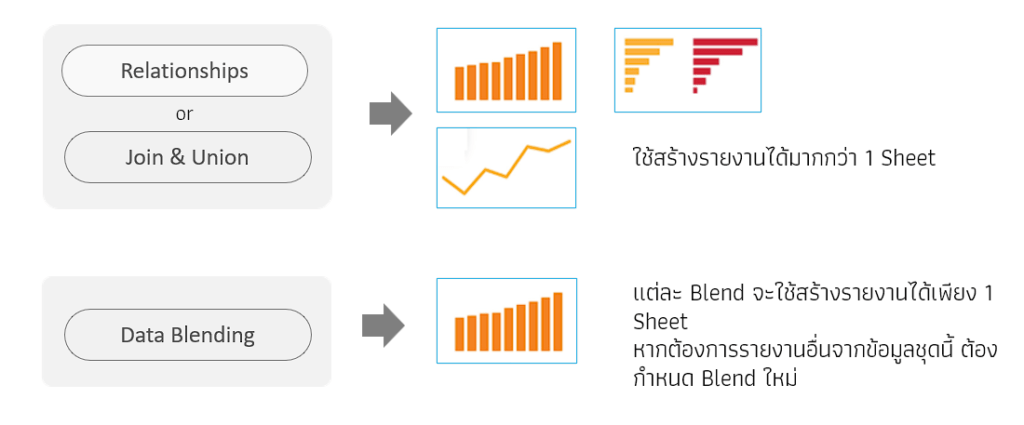
When we use Join, Union, or Relationship data aggregation, we combine data to create a Tableau data source, allowing us to create reports with more than one graph from the resulting data
However, in the case of Data Blending, it combines data from the data source (from a join or relationship) with the desired data. In this case, one blend can only create one graph. If you want to create more graphs, you must always define a new blend