
Microsoft Azure Synapse Analytics is a Big Data Analytics tool capable of delivering a wide range of solutions, including Artificial Intelligence, Machine Learning, IoT, Intelligent Apps, and Business Intelligence. Microsoft has prepared all of these solutions, and organizations can easily utilize a cloud-based platform with ongoing infrastructure support from the Microsoft team. This article explains the Synapse Analytics components, their functions, and their features. For more details, please continue reading
Microsoft Azure Synapse Analytics is another type of Big Data Analytics tool that can perform a wide range of tasks.
The image below provides an overview of all the Azure Synapse Analytics tools available on Microsoft Azure.
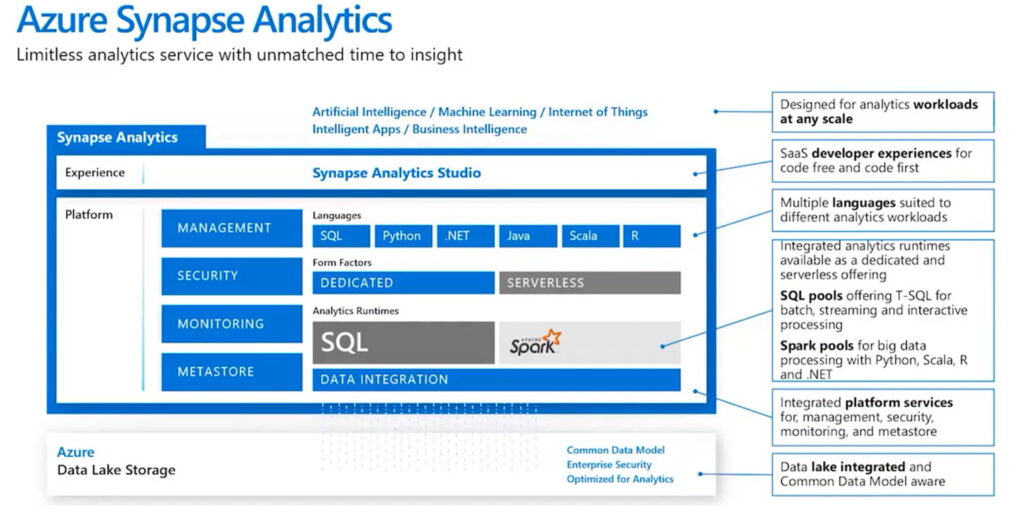
As shown in the image, Synapse Analytics can handle a wide range of applications, including Artificial Intelligence, Machine Learning, Internet of Things, Intelligent Apps, and Business Intelligence
For creating applications, you can either write your own scripts or use a drag-and-drop tool. It supports SQL, Python, .NET, Java, Scala, and R Script
The access rights section allows for permission setting, is compatible with Active Directory, enables monitoring, and includes a metadata storage area
Synapse Analytics Component
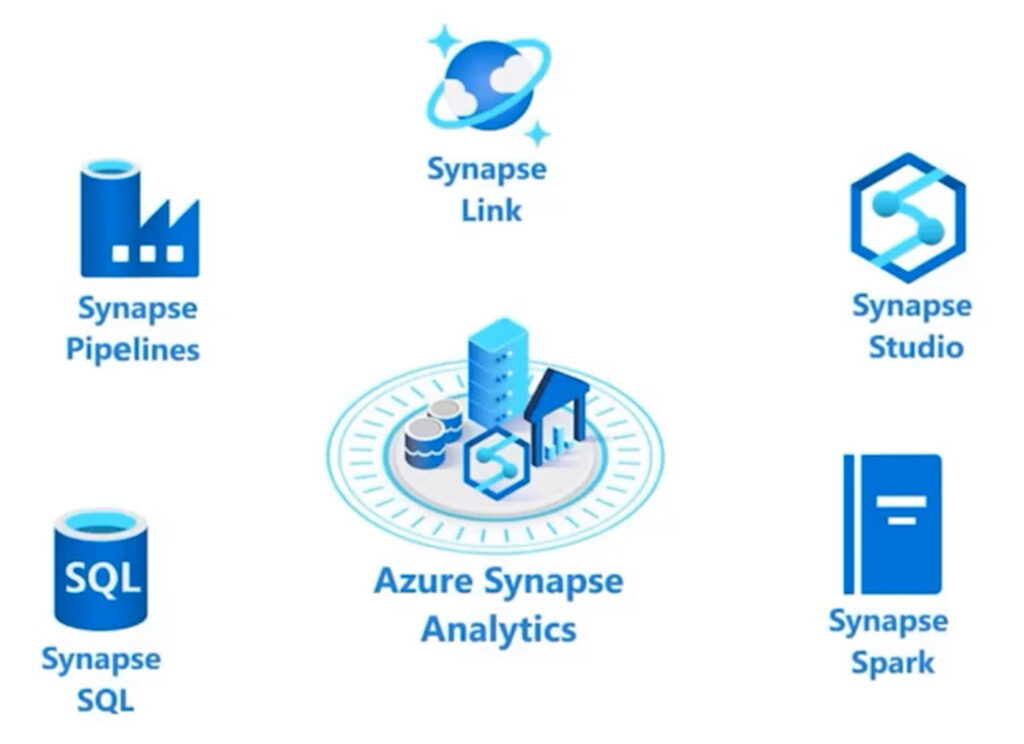
The Synapse Analytics Component includes:
- Synapse Pipelines are used as a tool for extracting, transforming, and loading data. They allow you to retrieve data, copy data from a source to a destination, and transform the data into a consistent format. You can define conditions for data retrieval and group data to prepare it for creating visualizations or applications
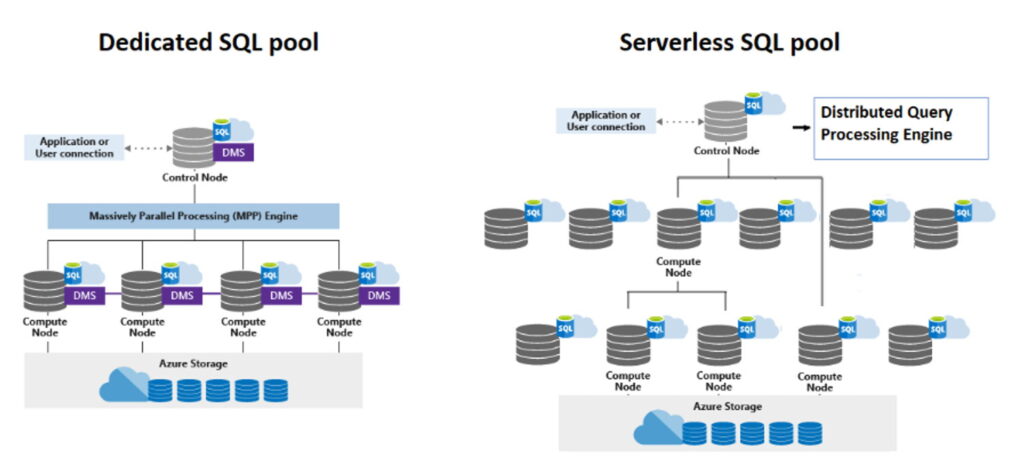
- Synapse SQL is a database architecture that can be implemented in two ways: Dedicated and Serverless
To explain it simply, a Dedicated SQL Pool is like a data warehouse that centralizes data processing,
while Serverless is a cluster-based approach that distributes data processing.
Read more details at https://learn.microsoft.com/en-us/azure/synapse-analytics/sql/overview-architecture
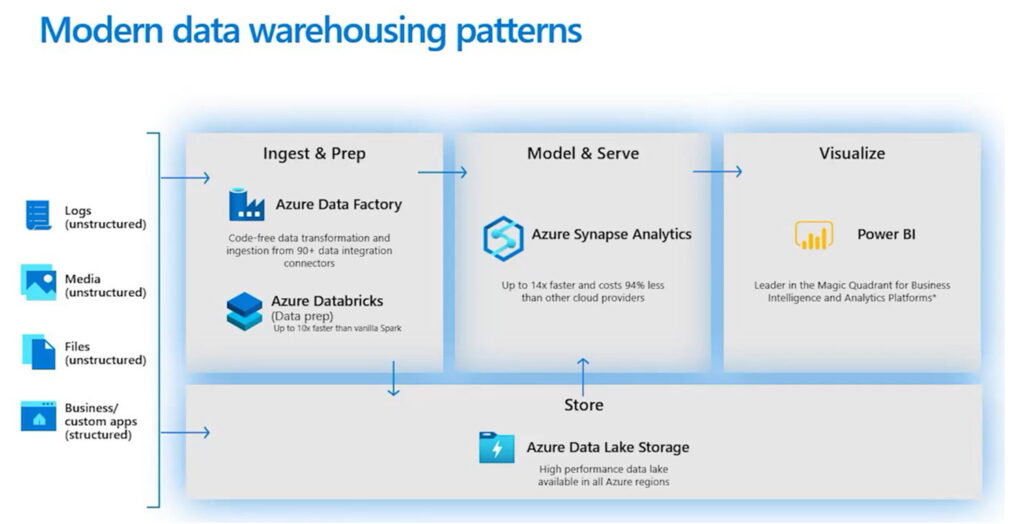
Creating a data warehouse on Azure can be done using tools like Azure Data Factory and Azure Databricks. These tools are easy to use and can connect to a variety of data, both structured and unstructured, such as logs, media (images, audio, etc.), files, or structured databases
Model building using Azure Synapse Analytics stores data on Azure Data Lake Storage
To create a visualization, you can use Power BI
Interested in Big Data Analytics using Azure Synapse Analytics?
For more information, please contact us at https://demo.rdbi.co.th/contact/,
via our
Line official account: @rdbi,
email: sales@rdbi.co.th
, or call Nuchanat at 064-798-4192.