
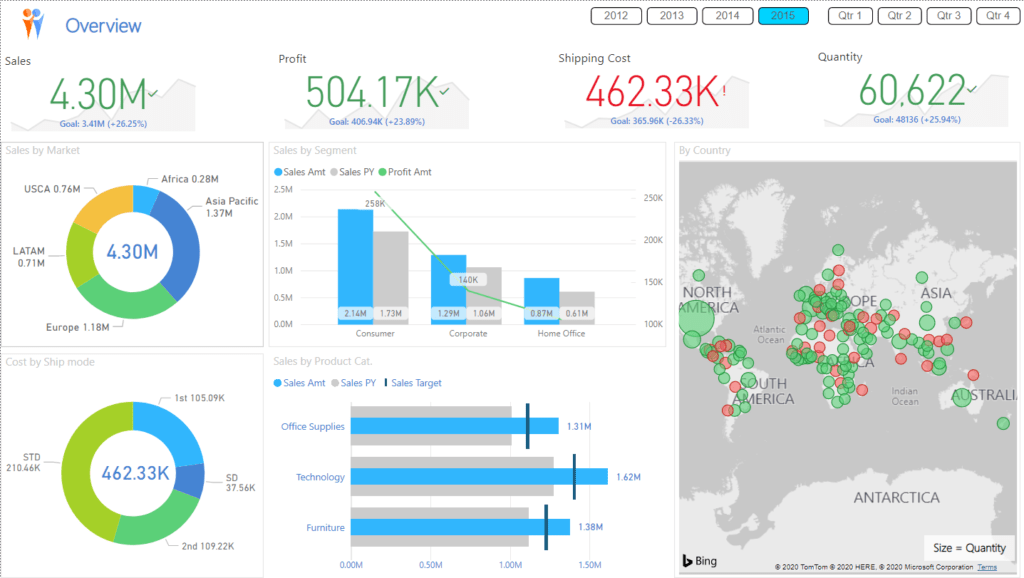
Basic Practice for Power BI Desktop is a training course for beginners who want to start learning how to use Power BI Desktop. It introduces working with Power BI Desktop from the very first steps to generating reports. You will learn about working with data, preparing the data model, using the program, and publishing reports. This course will transform even those with no prior knowledge of Power BI into highly skilled beginners ready to use and learn all of the program's features effectively
Training objectives
– Participants will gain a basic understanding of using Power BI Desktop.
– Participants will have hands-on experience working with data on Power BI Desktop.
– Participants will experiment with Power BI Service to share reports with colleagues.
– Participants will acquire a foundation that will help them learn other features of the program effectively.
Suitable for
This course is ideal for individuals, agencies, or organizations who want to learn the basics of Power BI Desktop. It's time-efficient and suitable for those with limited time
Training duration
6 hours (Live Training)
Background of the trainees
Have a basic understanding of computer usage and Microsoft Excel
Further details
- Participants are required to bring a notebook computer with Power BI Desktop installed. The software can be downloaded from powerbi.com
- There is an email address that can be used for contact (this is required to access MS Teams)
- There is a microphone and headphones available for communicating with the instructor
- It is recommended to have two display screens for practicing simultaneously with the instructor (this is a suggestion; using just one screen is also acceptable)
Training topics
9:00 AM – 10:30 AM.
Introduction
– Overview of Power BI Desktop
– Downloading and installing the program
– Introducing sample datasets for training
Connect to Data Source
This section introduces data sources that can be used with Power BI Desktop and allows you to experiment with connecting to the data sources we have provided:
– Data sources compatible with Power BI
– Connecting to Excel files
– Connecting to text/CSV files
– Connecting to folders
– Other connection methods.
.
10:30 – 10:45 AM.
Break
.
10:45 AM – 12:00 PM.
Basic Manage Data Model
Get acquainted with basic data creation and management
– Managing table names and column names
– Managing data types
– Defining data categories
– Defining data formats.
.
12:00 – 13:00.
Lunch break
.
13.00 – 14.30 hrs.
Basic Power BI Report
Practice creating various types of reports. This includes using prepared data models to create reports and dashboards
– creating and editing Power BI visualizations
– managing visual display formats
– using filters and slicers
– defining visual interactions
– creating Power BI reports and dashboards.
.
14:30 – 14:45.
Break
.
14:45 – 16:00.
Share Power BI Report
Understanding how to use Power BI reports in different formats
– Getting to know Power BI Service
– Publishing reports from Power BI Desktop
– Sharing reports with users.
.
*The schedule is subject to change as needed
Training format
note
The schedule may be subject to change.
Every step of the practical training will include examples, and instructors will provide guidance throughout the workshop.
For more information, please contact us at https://demo.rdbi.co.th/contact/,
via our
Line official account: @rdbi,
or by email at sales@rdbi.co.th.